Beelink ME Pro 4 Bay NAS
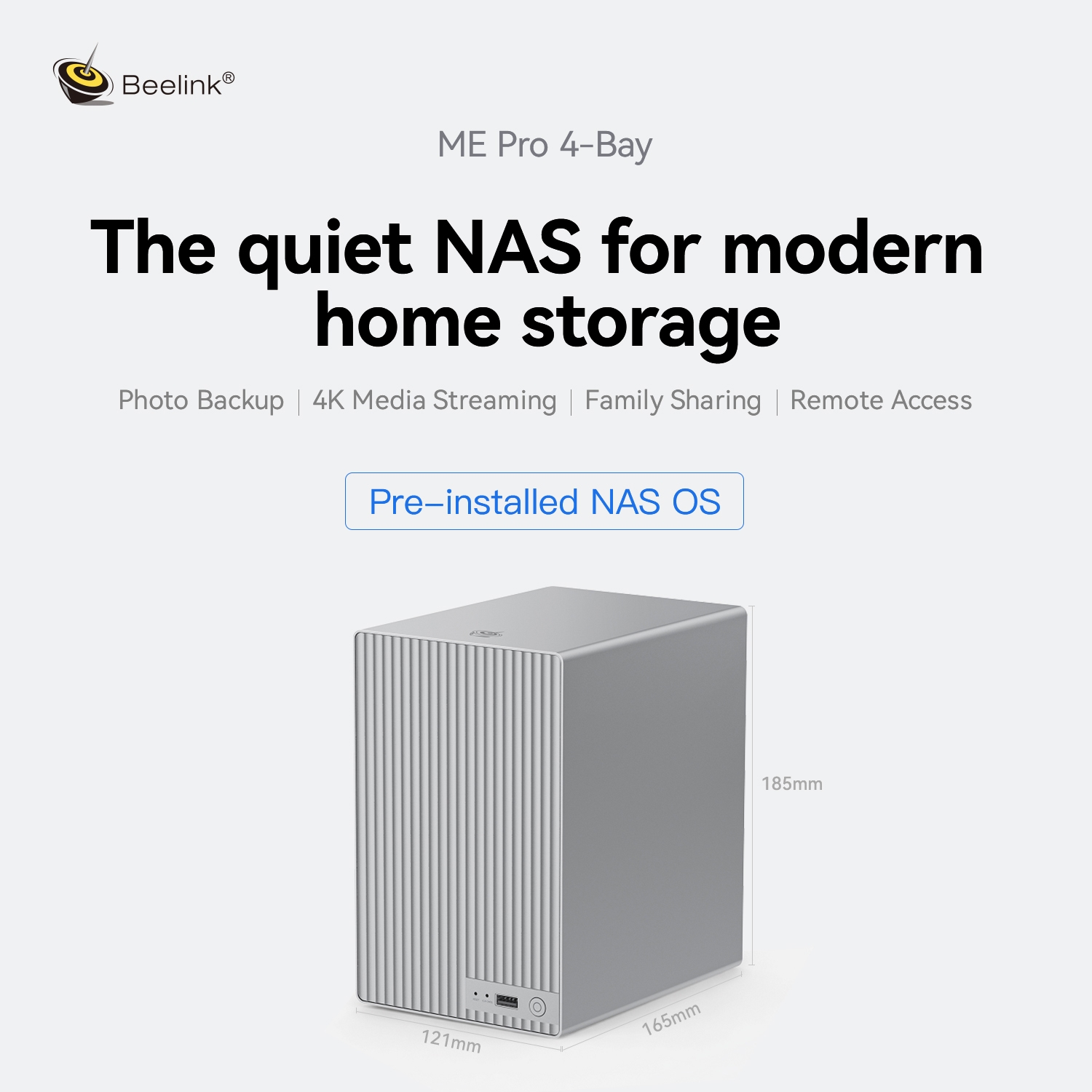
The NAS
I could write all day reviewing this NAS, but I want to make one thing clear: Beelink manufactured the hardware, while FygoOS is an entirely separate software company.
Beelink chose to partner with FygoOS, which I believe is a mistake that will ultimately hurt their brand name.
The hardware itself is solid and packed with impressive specifications:
- Up to 136TB Storage Capacity: Equipped with 4 HDD bays and 4 additional M.2 SSD slots, offering excellent storage scalability for creators, professionals, and data enthusiasts.
- 10GbE + 2.5GbE Dual Ethernet Ports: Provides high-speed data transfer and smooth multi-device access for advanced networking needs.
- DIY Drawer-Style Upgradeable Motherboard: The modular motherboard design allows users to upgrade the computing platform in the future without replacing the entire NAS (I am told you can swap out the motherboard later down the line).
- Compact 4-Bay Design: Thanks to the integrated unibody metal enclosure, it is one of the smallest 4-bay NAS devices I have seen, maintaining strong expandability while keeping a remarkably small footprint compared to traditional units.
- Optimized Cooling & Easy Maintenance: The improved cooling system combines thermal pads, an aluminum HDD bracket, and an enhanced airflow design to ensure stable operation during long-term use.
- Additional Hardware Features: Includes dual NVMe slots, full-size HDMI, dual USB Type-A ports, and a single USB Type-C port.
You get the point. It is a well-built piece of hardware with various CPU options, leaving little to be desired on the physical side. It is simply a strong new contender in the hardware market.
The FygoOS Software
This is where the user experience completely falls apart. As I covered in my hour-long video linked above, here are the main reasons why I cannot recommend the software to anyone in its current state:
- It lacks a complete *arr stack (for instance, it includes Jellyfin and Radarr, but lacks Prowlarr).
- Their website lacks proper documentation (they provide a full Docker Compose app feature with zero documentation on how to use it).
- The app store is severely limited, featuring fewer than 100 applications.
- Essential applications like Immich are missing. When people buy a NAS, they typically expect media streaming and photo backups, neither of which is supported out of the box by FygoOS as of September 10, 2026.
- The UX fails to scale. Prompts open in fixed-size pop-up windows that cannot be resized, leading to massive wasted space on larger displays. Working on a 34-inch monitor, I frequently found myself restricted to viewing only four lines of text within core menu screens.
My Final Thoughts
I would not hesitate to buy this NAS—the physical build quality is right on par with anything else on the market—just be prepared to wipe it and install something like TrueNAS SCALE. Throughout my testing over the past week, I experienced zero issues with component temperatures, and the unit runs exceptionally quietly while maintaining a tiny footprint.
Pricing details were not available during my testing, but if the base model lands under $350, it becomes a compelling buy purely for its four-bay form factor.